Built for EWP & equipment rental fleets
Stop chasing compliance.
Start running your fleet.
Same machines. Same crew. Same sites. Just no more chasing compliance. YardVault connects compliance documents, dispatch, digital handovers, and site-level pre-starts into one audit-ready system.
Scissor lifts
Electric, diesel, tracked & rough terrain
Boom lifts & EWPs
Articulated, telescoping & spider lifts
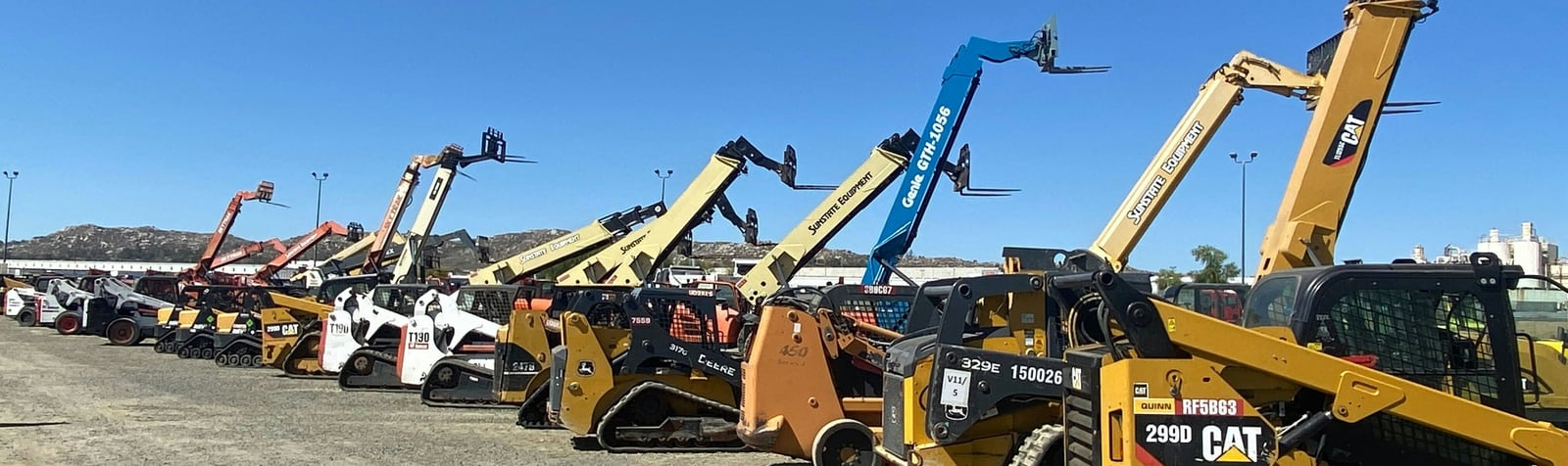
Telehandlers
Fixed, rotating mast & attachments
Excavators & diggers
Mini, mid-size & full excavators
The problem with spreadsheets
Compliance failures don't announce themselves
Three scenarios that happen every week in equipment rental fleets running on spreadsheets, whiteboards, and group chats — and what they cost when they surface.
Compliance failure
Cert expired before the auditor arrived
A CraneSafe certificate lapsed three months ago. The machine had already done 40+ days on a major site. Nobody saw it because compliance lived in a shared folder nobody opened.
Handover dispute
No paper trail when the dispute lands
Driver says the fuel was at half. Site manager says it was empty when they got it. The only record is a blurry photo in a WhatsApp group from three weeks prior.
Dispatch error
Non-compliant machine left the yard
A boom lift with a flagged defect was dispatched to a residential highrise. The whiteboard said 'check with Tim'. Tim was on leave. Nobody was automatically alerted.
YardVault eliminates all three. Compliance is calculated live, handovers are locked on submission, and dispatch blocks non-compliant machines automatically.
The product
One vault for the whole operation
Six systems your fleet currently runs on spreadsheets, group chats, and glove boxes — folded into one audit-ready portal.
Compliance vault
Every certificate matched to every machine, with a hard expiry date on each document and alerts at 30, 14, and 7 days out.
Dispatch board
See every asset's status and location at a glance, and move machines between sites without touching a spreadsheet.
QR handovers
Scan the machine, capture hours, fuel, four photos, and a signature — then the record locks in for good, so nobody can quietly change it later.
Service queue
Defects reported from the field arrive with photo evidence and route straight to your techs — no phone tag.
Client site portals
White-labeled, site-scoped portals where your clients see only their machines — live status, certs, and pre-starts.
Audit trail
Every critical change is stamped with who did it and when. When the auditor shows up, the history is already written.
Workflows
Built around the moments that bite
Compliance vault
Compliance that watches the calendar for you
Upload a certificate and YardVault holds you to its expiry date. Machines automatically flip to Non-Compliant the moment a required document lapses or a critical defect lands — and your compliance manager hears about it at 30, 14, and 7 days out, not on audit day.
- Asset status calculated live from its documents
- Automated expiry alerts at 30 / 14 / 7 days
- Defects from the field flag the machine instantly
Digital handovers
A handover record nobody can argue with
Drivers scan the QR code on the machine, and the app walks them through the full check: engine hours, fuel, four photos — front, back, left, right — and the site manager's signature on glass. Submit once, and the record is locked read-only, forever.
- QR scan loads the exact machine, every time
- Mandatory hours, fuel, and 4-angle photo capture
- Signed records lock in for good — no edits, no disputes
Client portals
Give every site its own window into the fleet
Your clients get a portal under your brand, scoped to their site and nothing else. Project managers pull a full compliance pack in one click, safety officers check certs live, and operators scan a QR to run their daily pre-start before the machine moves.
- White-label subdomain, logo, and brand color
- One-click site compliance pack (every active PDF)
- Daily pre-starts route defects back to your techs

Who it's for
Three sides of every hire, one system

Layer 01 — HQ
Owners, compliance & dispatch
Billing, branding, and the whole fleet in one place. Compliance managers run the vault, dispatchers allocate machines to sites, and nothing leaves the yard undocumented.

Layer 02 — Field
Drivers & service techs
A mobile flow built for a phone in a work glove: scan, capture, sign, done. Techs see the defect queue with photos attached and clear machines back to Operational.

Layer 03 — Client sites
PMs, safety officers & operators
Read-only visibility of exactly the machines on their site. Compliance packs for the PM, live certs for the safety officer, QR pre-starts for the operator.
mandatory photo angles locked into every handover
days out — automated alerts before any cert expires
to export a full site compliance pack for an auditor
uptime target, because audits don't reschedule
Getting started
How it works
Onboard your fleet
Set up your company, register your machines, and invite your team — sites and access set up in minutes.
Run daily operations
Pre-start checklists, dispatch, and handovers flow through the system as they happen, from the yard or a phone in the field.
Stay audit-ready
Compliance documents, defect history, and service records are already organized — export a pack the moment an auditor asks.
FAQ
Questions fleets actually ask
Is our data kept separate from other rental companies?
Completely. Your business is walled off from every other company on YardVault — nobody outside your business can ever see your machines, your people, or your documents. Within your own company, what someone can see depends on their role: office staff, drivers, techs, and site users only see what's relevant to their job.
Can our clients log in and see their machines?
Yes — that's the point of site portals. Each client site gets scoped, read-only access under your branding: your logo, your color, your subdomain. They see only the assets currently on their site, never your wider fleet or other clients.
Does it actually work in the field?
The handover and pre-start flows are built mobile-first for high-glare, gloves-on conditions. Drivers scan a QR code on the machine — no searching, no typing serial numbers — and the app walks them through the mandatory captures.
What happens when a compliance document expires?
The machine's status is calculated from its documents, so an expired cert flips it to Non-Compliant automatically. Long before that, your compliance manager gets alerts at 30, 14, and 7 days before expiry.
How are photos and documents kept secure?
Every certificate and handover photo is stored securely, and only people with the right permission can open it — there are no public links floating around that anyone could stumble onto. On top of that, every important action — a document uploaded, a machine's status changed, a defect logged — is automatically time-stamped, so there's always a clear record of who did what and when.
Request a demo
See YardVault running on your fleet
Tell us how many machines you run, where your sites are, and what's currently holding your compliance together — we'll show you what the same operation looks like on YardVault. Usually within a business day.
- Live walkthrough with your actual machine types and workflows
- Your existing compliance PDFs imported on day one
- White-label portals for your clients from the first week
- Onboarding measured in days, not quarters
- +61 1300 000
- contact@yardvault.app
- Melbourne, Victoria, Australia